
Your machines, in your pocket.
Open a terminal on any of your computers from your phone, laptop, or tablet. Answer your coding agents from the lock screen without returning to your desk. Move files between machines that cannot even see each other. Nothing of yours passes through anyone else's cloud.
Your SSH, your tmux, your tunnels. Omnimux is the window onto them.
It asks you to adopt nothing proprietary. tmux is not inside the app — Omnimux attaches to the sessions you already leave running on your machine (or psmux on Windows). It logs in with the keys you already use, reaches your networks through the tunnel you already trust, and sends its notifications through a message server you own. There is no cloud agent phoning home and nothing in the middle that can read your work. It was built for one reason: a full-stack day runs across a laptop, a build server, a Pi in a cupboard and a phone on the train — and moving between them should not be the hard part.
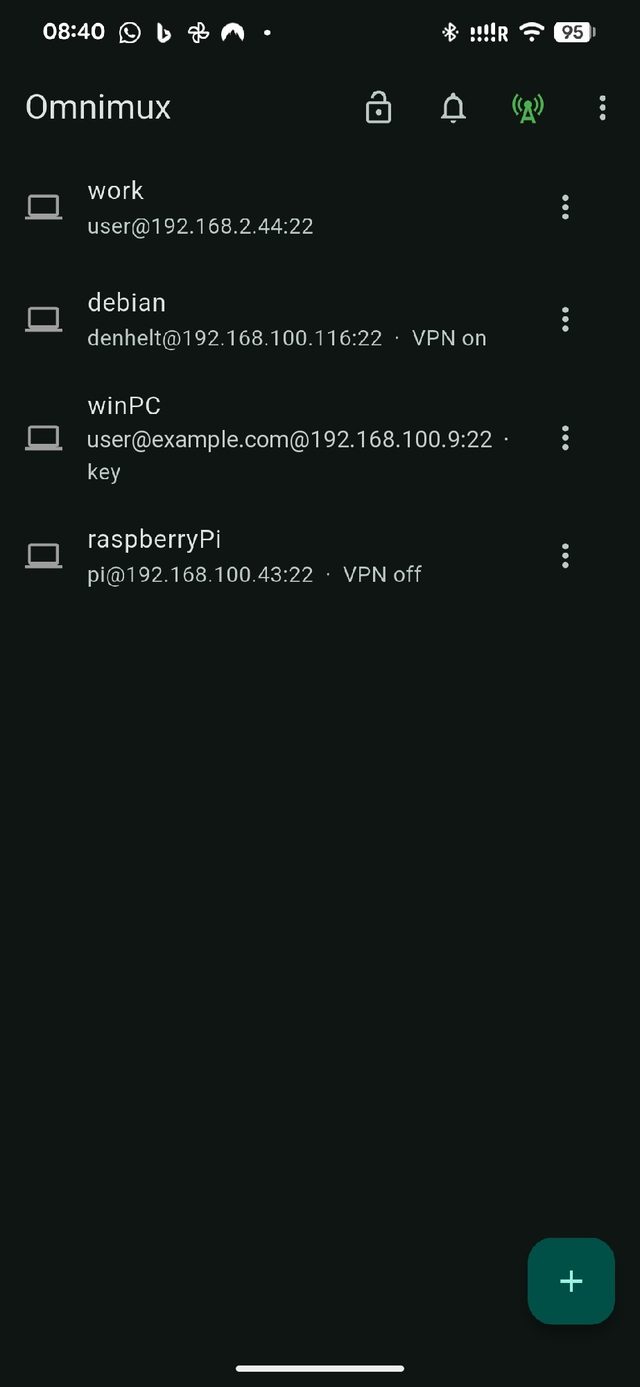
Every computer you use, in one list
The laptop at home, the server at work, a Raspberry Pi in a cupboard, a Windows PC. Add each one once — where it is, and a password or a key — and from then on it is one tap away. The list tells you which are connected and which have their tunnel up.
- No key wrangling. The app can make a key, put it on the machine for you, or read one from a QR code the machine prints.
- Already have a list? Import the machines your computer knows about, along with the servers it already trusts.
- Asleep? Give a machine its hardware address once and Omnimux wakes it up before connecting.
Your work is still running when you come back
tmux is not inside the app: sessions live on the machine, not in the app. Close the phone, lose signal in a lift, go home — the build keeps building on your machine, and when you open Omnimux again you are back in the same place, at the same line. No reconnecting, no lost output.
- tmux is on the machine, not the app. The app is purely a window onto your remote sessions: if Omnimux is closed or killed in the background, your processes on the host never stop.
- Keys a terminal actually needs. Esc, Tab, Ctrl and the arrows are on a bar above the keyboard, with the rest a tap away.
- Built for touch. Tap the prompt to move the cursor there, tap a word to select it, pinch to change the text size, search everything that has scrolled past.
- More than one at a time. Sessions open in tabs, and two sit side by side on a tablet or a desktop.
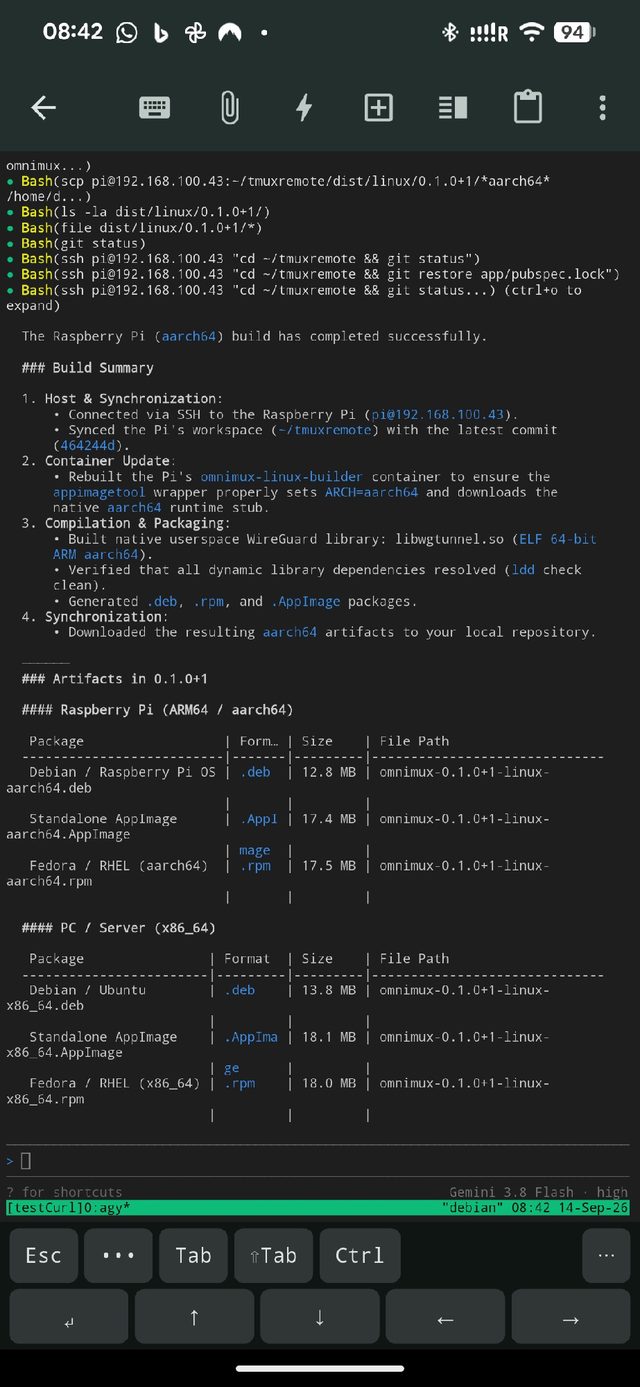
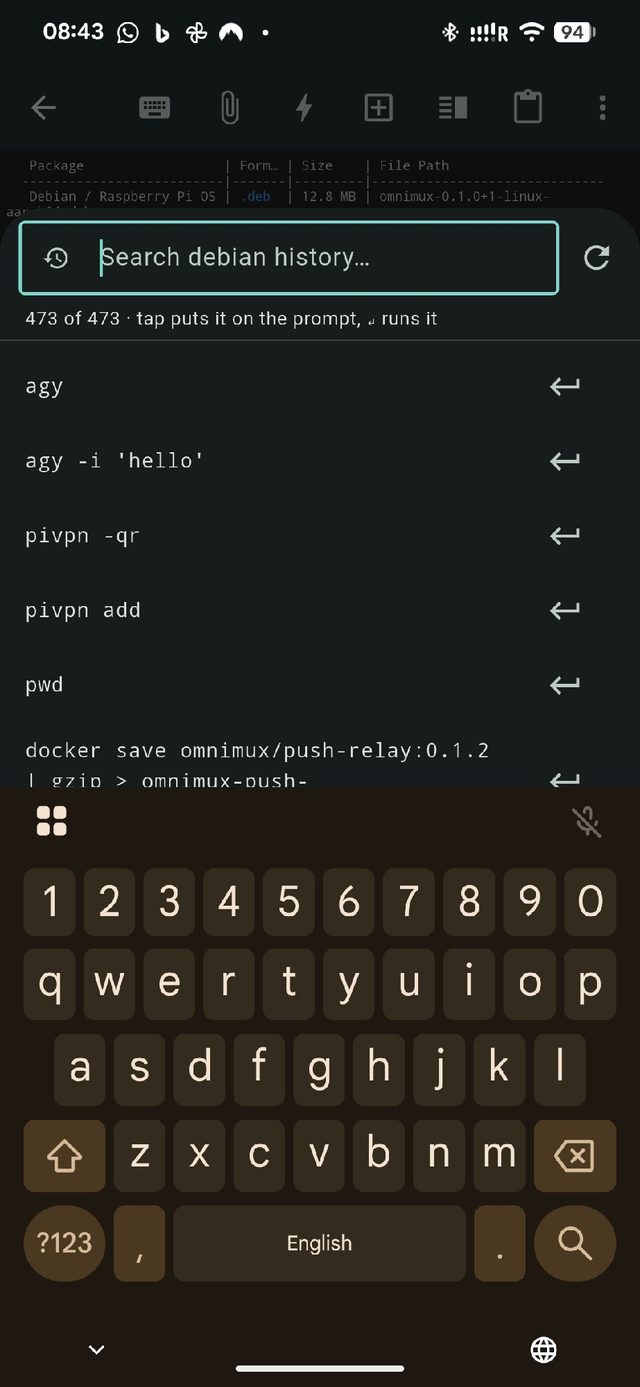
A session, and the commands that machine has run before — filtered as you type.
The same app on your computer
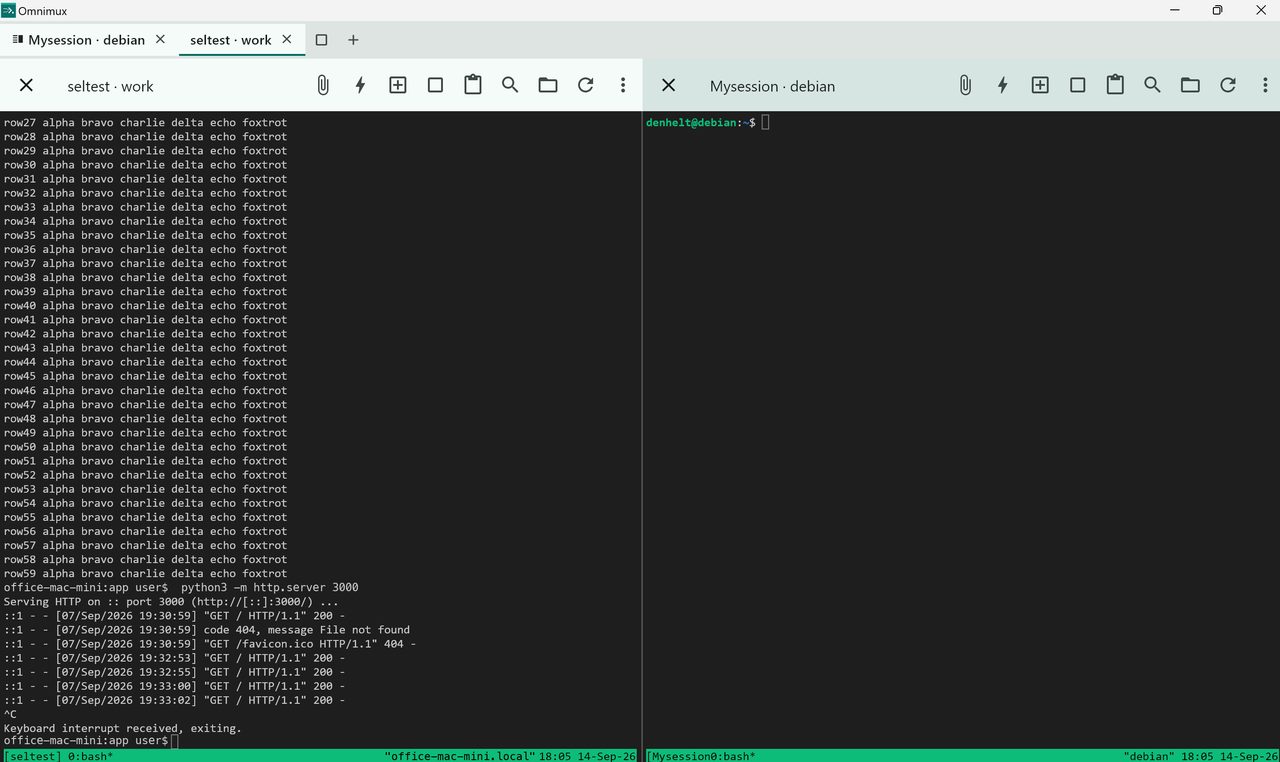
Not a phone app squeezed onto a big screen. On a Mac, a PC or a Linux box it is a proper window: your machines down one side, their sessions under them, and one click to open a terminal, the files, or a new shell.
- Your own computer is in the list. Its sessions open straight away, with nothing to connect to.
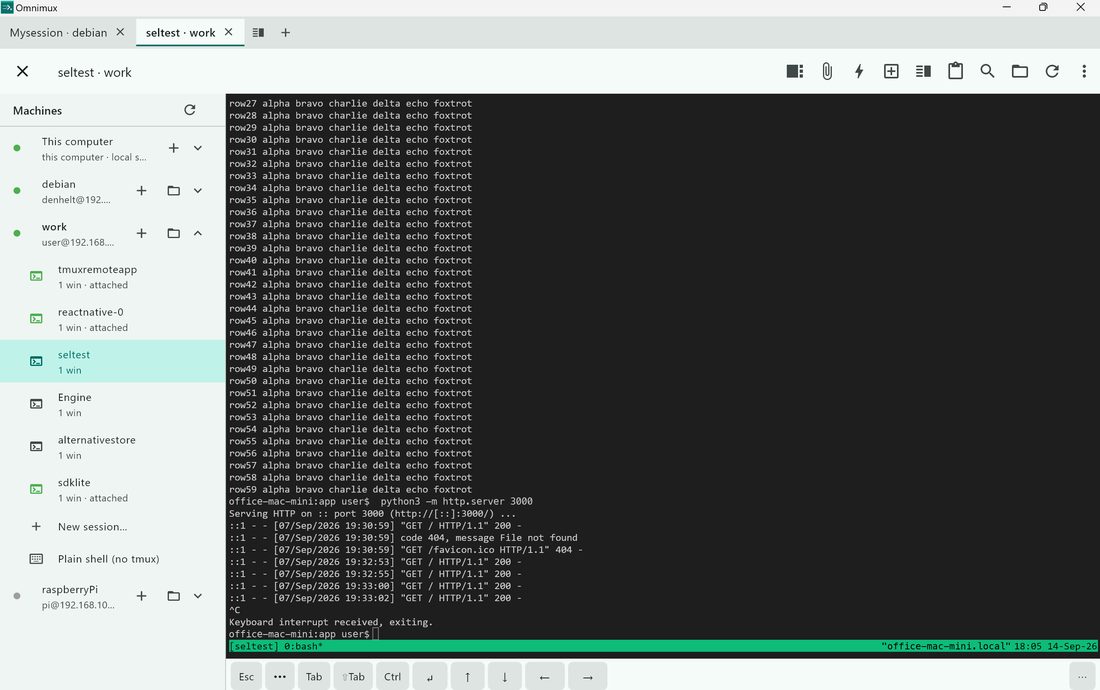
- Tabs. Each keeps its own session and everything that has scrolled past, so switching is instant and nothing has to reconnect.
- Two at once. Split the window and watch a build on one machine while you work on another, each half with its own toolbar.
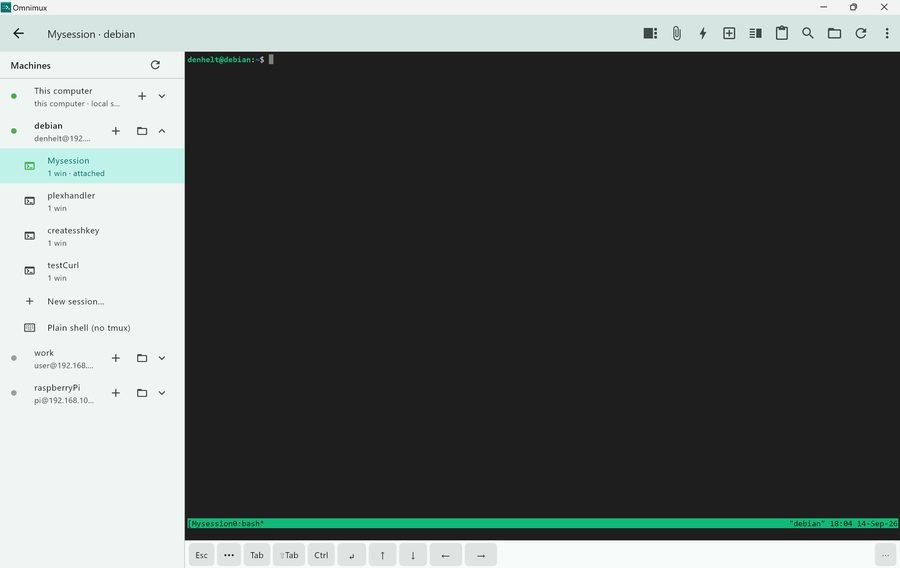
Every machine, its sessions, and this computer at the top.
It asks, your phone buzzes, you answer
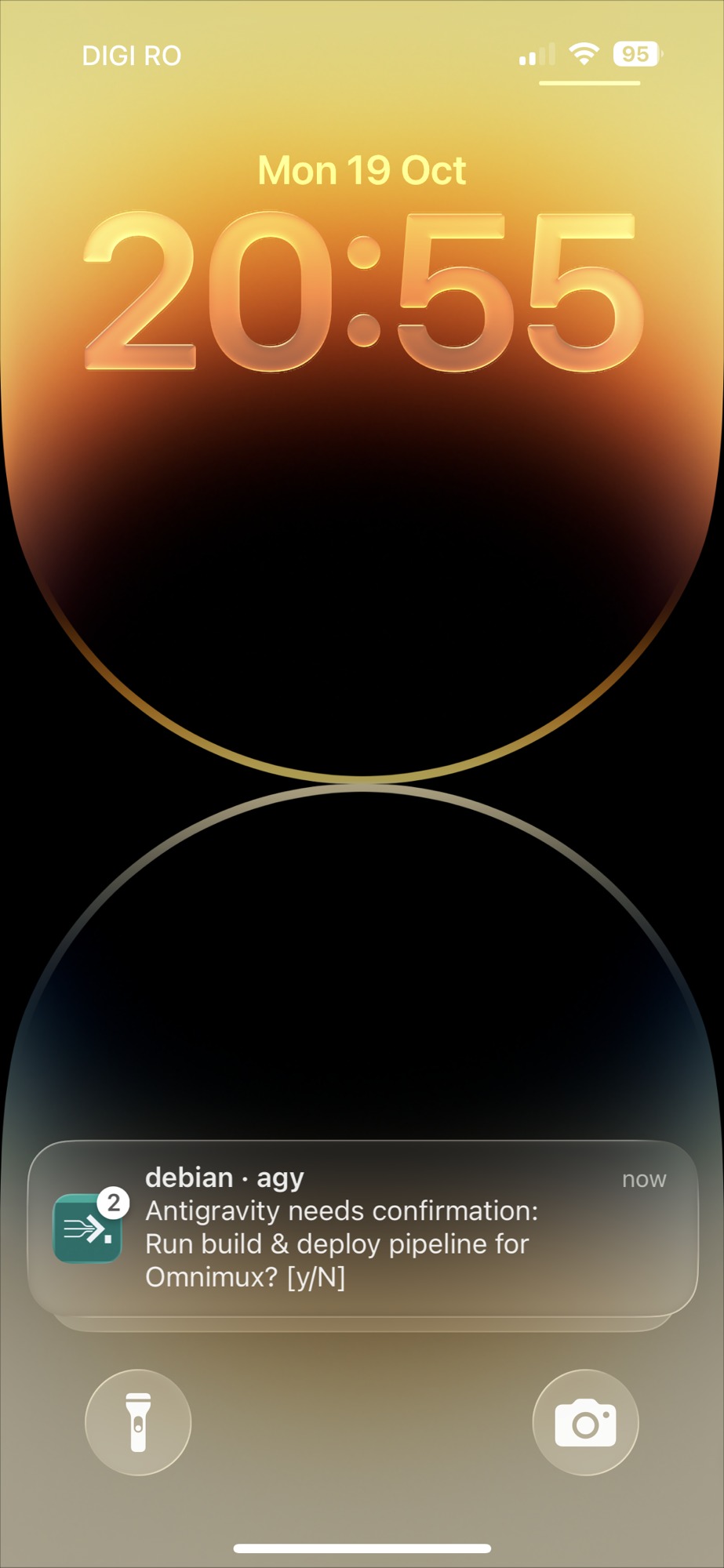
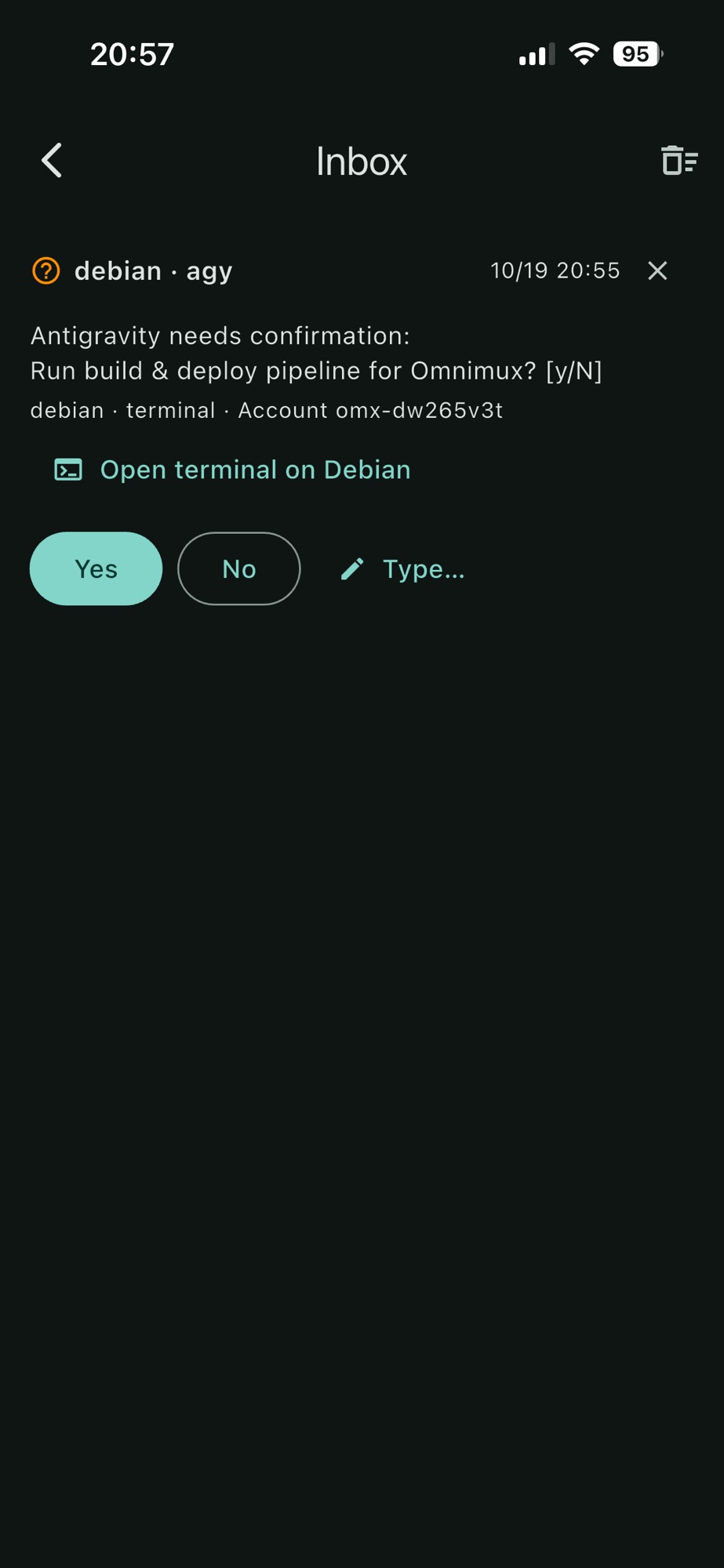
Coding agents stop and wait for you: may I run this, shall I install that, are you happy with this plan. Omnimux turns the question into a notification with Yes, No and a box to type in. Your answer goes back into the exact window that asked, and the agent carries on — while you are in the garden.
- The usual suspects, set up for you. Claude Code, Antigravity, Gemini CLI and Codex. The app sets them up on the machine itself — no config files to edit.
- Nobody else can read it. Turn on encryption and the question, the buttons and your answer are scrambled between the machine and your phone.
- Quiet when you are already there. Nothing buzzes if you have been typing at that machine. Snooze one that is having a chatty afternoon.
Real iPhone notification: Antigravity asks confirmation, you tap Yes, and keystrokes route directly into your tmux session on Debian.
570+ specialized skills installed with one tap
Give your autonomous coding agents instant domain intelligence. Browse a curated directory of 570+ skills covering Flutter, Swift, Kotlin, Python, Go, Rust, Web frameworks, and systems engineering. Tap to install directly onto your remote machine — universally compatible across Antigravity (AGY), Codex, and Claude Code with zero configuration.
- Instant runtime injection. Tap Install on any skill card and Omnimux stages the skill instructions and helper scripts straight onto the machine, universally linked across Antigravity (
~/.gemini/config/skills), Codex (~/.codex/skills), and Claude Code (~/.claude/skills). - Search across 570+ specializations. Filter live across frameworks, programming languages, build automation, database design, and testing patterns.
- Universal agent compatibility. Antigravity (AGY), Codex, and Claude Code all share the open Agent Skill specification. Once installed, every agent on that machine automatically discovers and activates the skill when you ask for it.
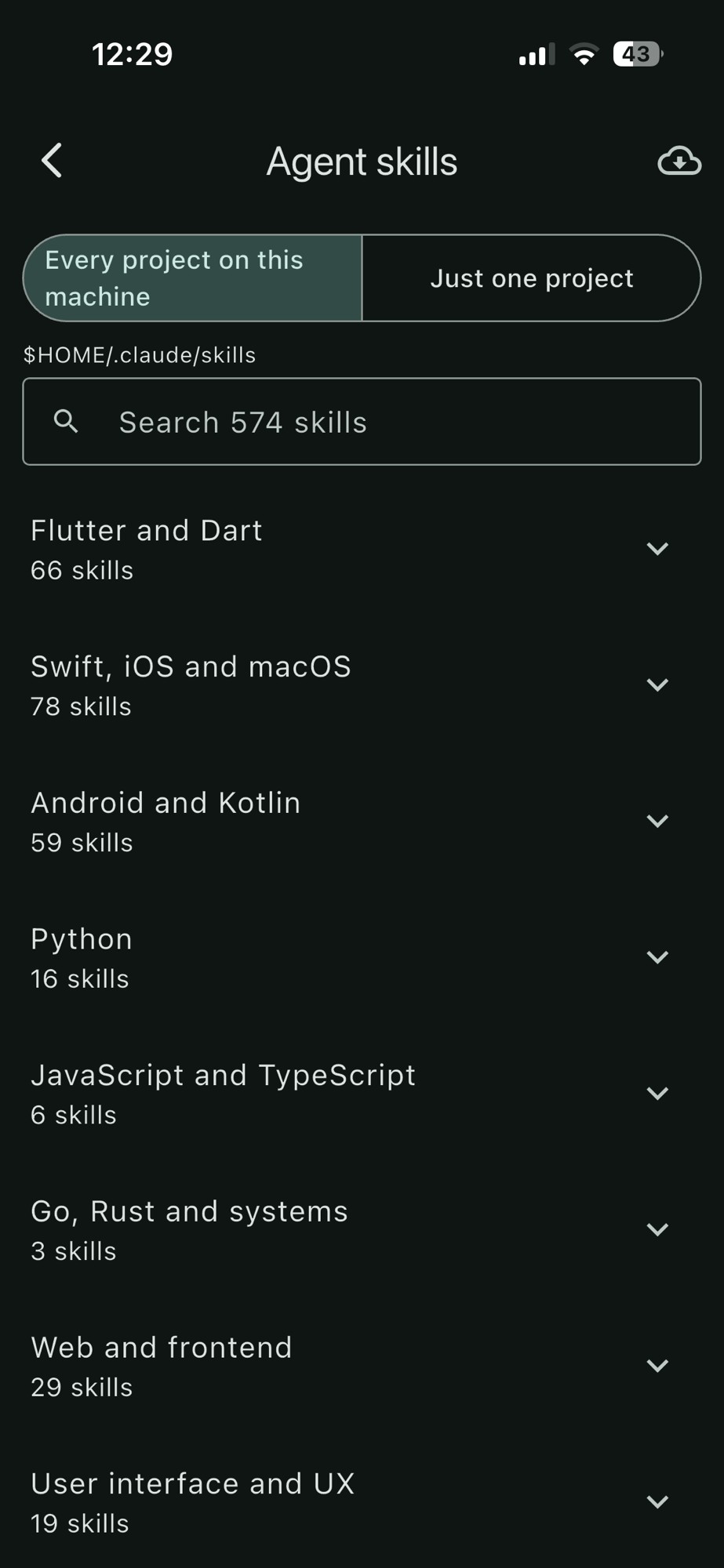
The Agent Skills directory: 574+ production-tested skills ready to install onto your remote machine in seconds for Antigravity, Codex, and Claude Code.
Audit Docker containers, catch CVEs, and update safely
Every running container on your server inspected at a glance. Omnimux monitors container health, CPU and memory usage, enables one-tap port forwarding, and queries OSV & CISA vulnerability feeds to alert you before an unpatched base image or runtime EOL puts your machine at risk.
- Active container dashboard. Live status badges, ports, memory usage, and direct shortcuts to the Task Manager, Secrets Vault, and Domain routing.
- CVE & EOL Vulnerability Auditing. Cross-references your container images against the Open Source Vulnerabilities (OSV) database and CISA catalog, flagging overdue base image updates.
- Safe terminal remediation. When an update is needed, tap "Update in Terminal". Omnimux opens your tmux session and types the precise
docker-compose pull && up -dcommand directly into the prompt without executing — so you retain full control before pressing Enter.
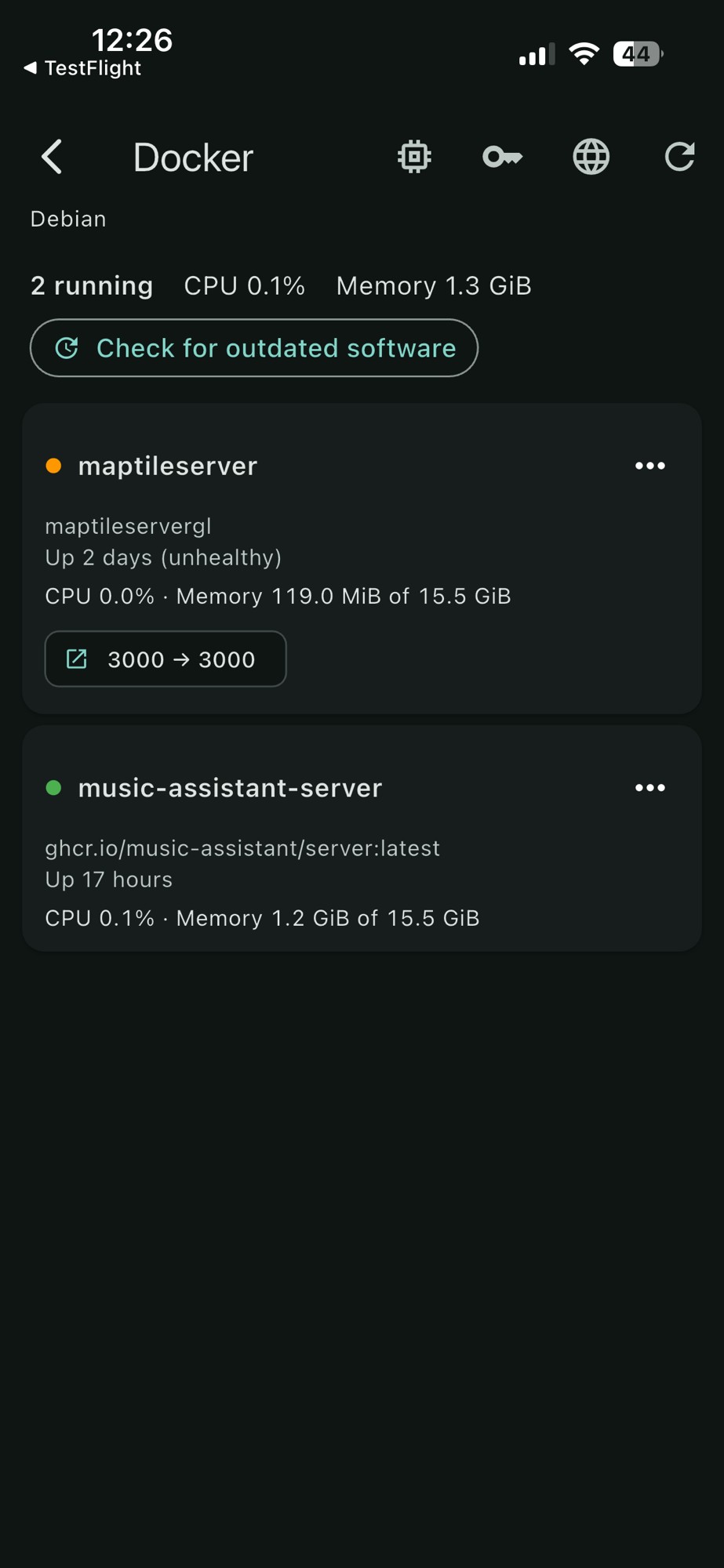
Docker container overview: inspect running services, forward container ports, and access host secrets.
Watch CPU, memory pressure, and services in real time
Instant visibility into what is eating your machine's resources. A high-refresh live dashboard displays CPU load averages (1m / 5m / 15m), an interactive radial memory pressure gauge, host uptime, and a live-updating process monitor sorted by CPU and RAM consumption.
- Memory pressure gauge. Visual circular dial showing active RAM, cached buffers, and swap headroom with immediate color alerts.
- Live process monitor. Per-process CPU% and RAM usage with PID tracking, making it effortless to pinpoint runaway builds or rogue background daemons.
- Active host services. Check systemd units and daemons directly from the machine overview — no need to type repetitive
systemctl statuscommands.
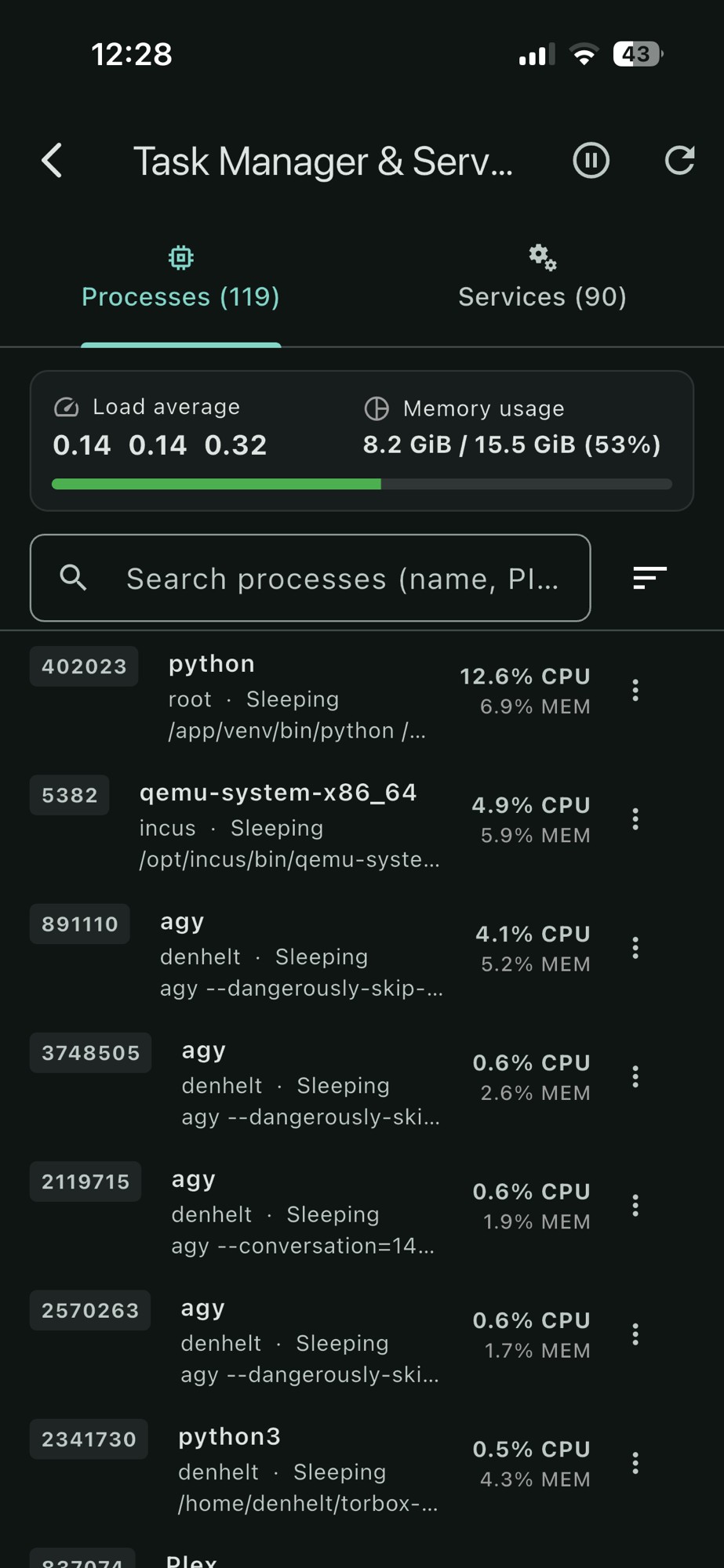
Real-time system health: load averages, visual memory pressure dial, and live per-process CPU & RAM metrics.
Take files with you, in either direction
Browse a machine the way you browse your phone. Pull down a log to read on the train, send up the photo of a whiteboard, or move a whole folder with everything inside it. Big files are fine — a transfer that loses signal waits and carries on from the byte it stopped at, rather than starting again.
- It keeps going while you do other things. A ring in the corner shows how far along everything is, wherever you are in the app; tap it to cancel one or retry one that failed.
- One button. Upload asks whether you mean some files or a whole folder — that is the only difference between them.
- Photos for an agent. Pick as many as you like and their paths are typed straight into the prompt, in the order you picked them.
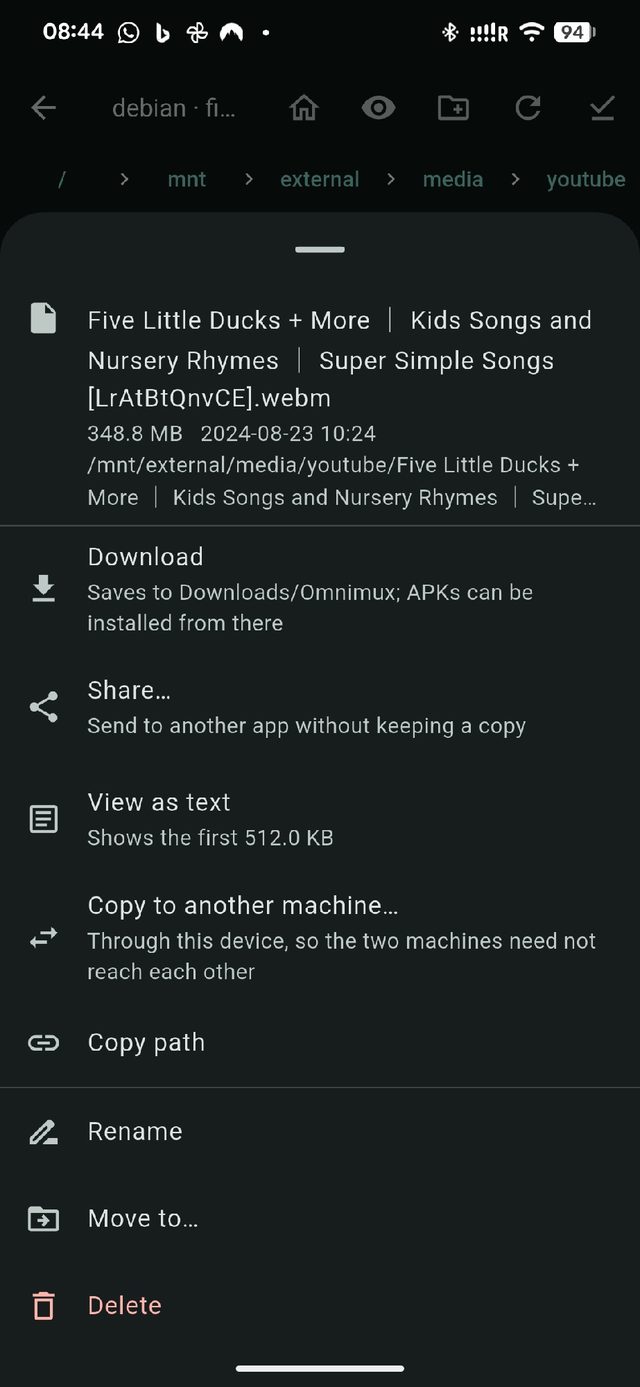
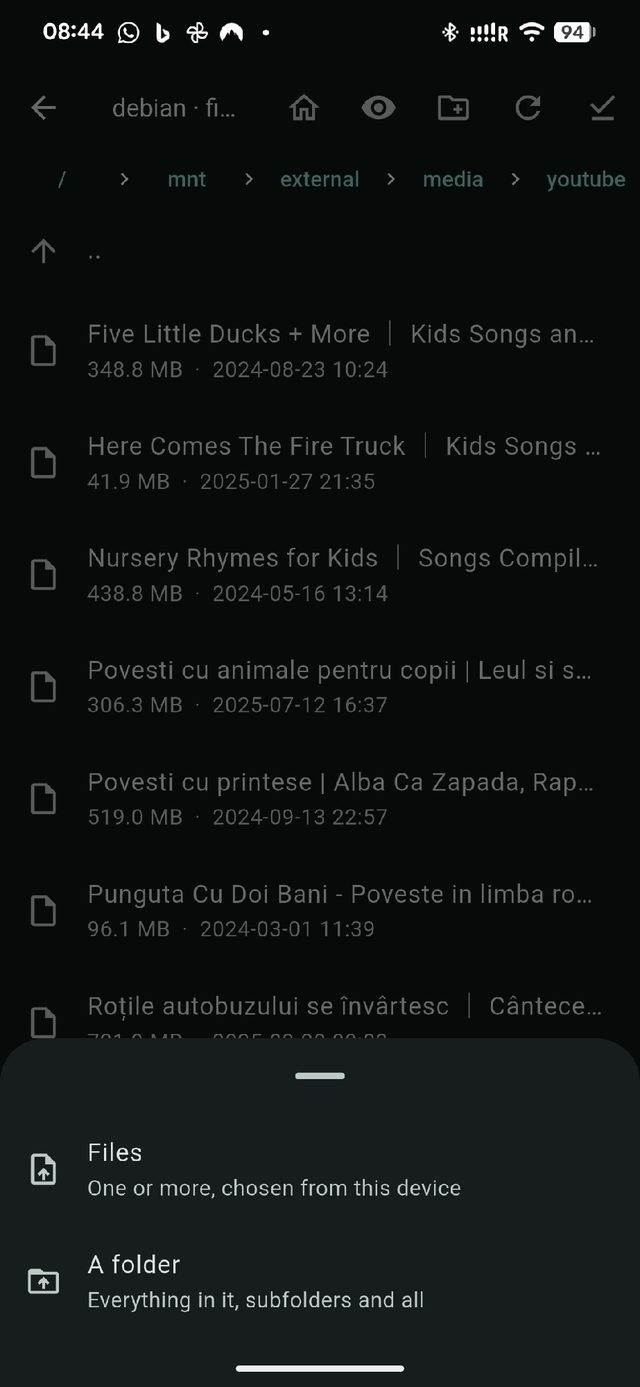
What you can do with a file, and what Upload asks first.
Copy between two machines that cannot see each other
The server at work and the Pi at home are on different networks, behind different front doors. Neither can reach the other — but your phone reaches both. Pick a file, pick the other machine, pick where it goes, and Omnimux passes it through: down to the phone, straight back up the other side.
- No setup on either machine. Nothing is opened up, nothing is shared, no third machine is involved.
- Folders too — the whole tree, in one go.
- Interrupted halfway? It resumes on the side it was on, rather than fetching everything again.
The file goes down one side and up the other.
A private tunnel of its own for each machine
Machines that only exist on a home or office network are normally out of reach from a train. Omnimux builds a WireGuard tunnel to each one, inside the app: set it up once per machine, and switch it on and off from the machine's menu.
- Only Omnimux goes through it. There is no system-wide VPN switch to remember, and the rest of your phone carries on as normal.
- One machine at a time. Home and work each have their own tunnel, up together, with no clashing.
- Set up by camera. Point it at the QR code your VPN server prints and it is configured.
Three machines, three tunnels, one app.
And when a tunnel is not the answer
Some machines sit behind another machine, or behind a company's proxy, or behind a Cloudflare tunnel with no way in at all. Each of those is a setting on the machine, not an afternoon of research — you fill it in once and forget it.
- Through another machine. Reach the ones only another machine can see, through as many of them as it takes.
- Through a proxy. Tor, an office proxy, or a Cloudflare tunnel — the last one works on a phone, with no helper program to install.
- Bring a port home. Tap the
localhost:3000line a dev server prints and the page opens on your phone, served from the machine.
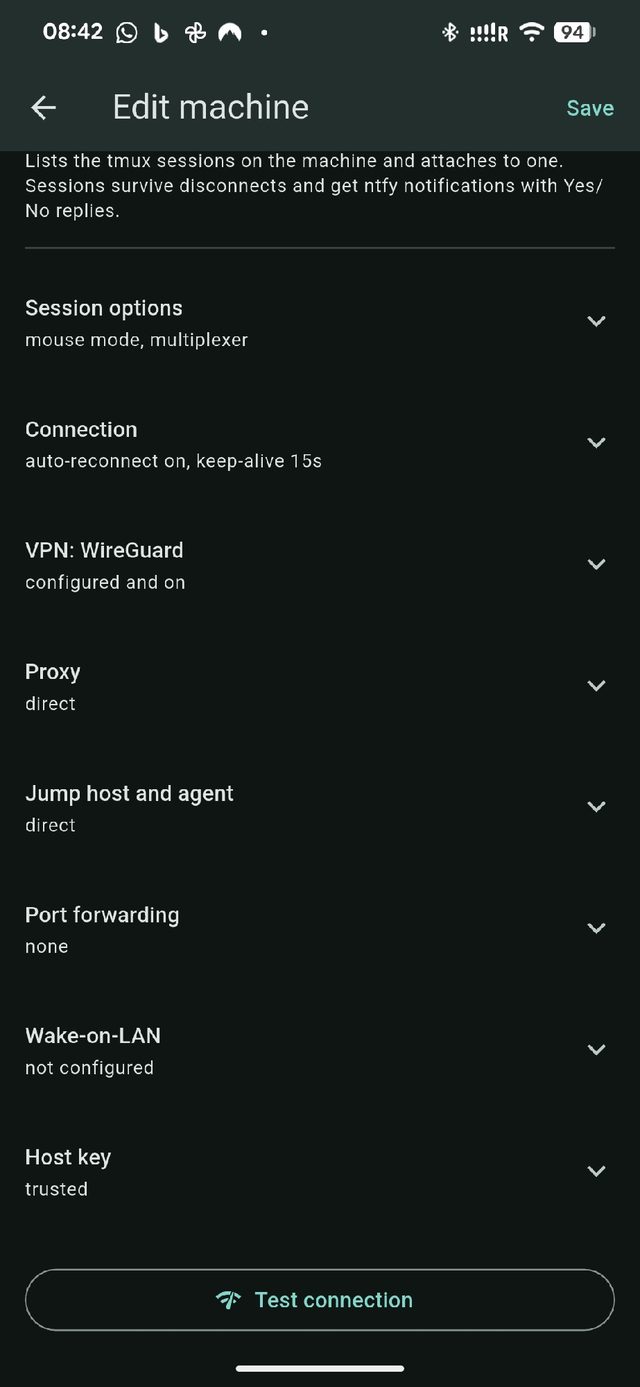
Everything about one machine, in one place.
Kept to yourself, and locked
Omnimux holds the keys to your machines, so it is built like something that does. Passwords and keys live in the phone's own secure store, notifications go through a small message server you choose — your own, or one we run for you — and the app has no analytics, no advertising and nothing that reports home.
- Fingerprint to open it. Notifications and their buttons keep working while the app itself is locked.
- Machines are recognised. If a server ever comes back wearing a different face, the app refuses it and says so.
- Moving to a new phone. One encrypted backup file carries the machines, keys and settings across.
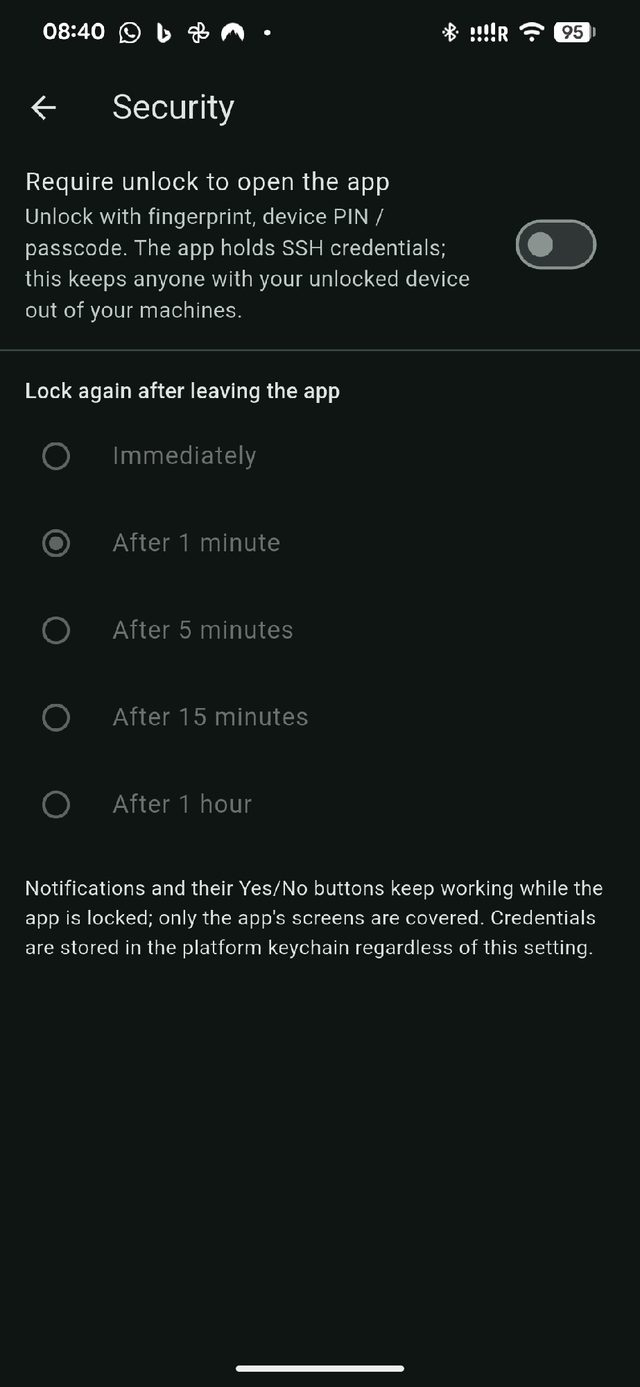
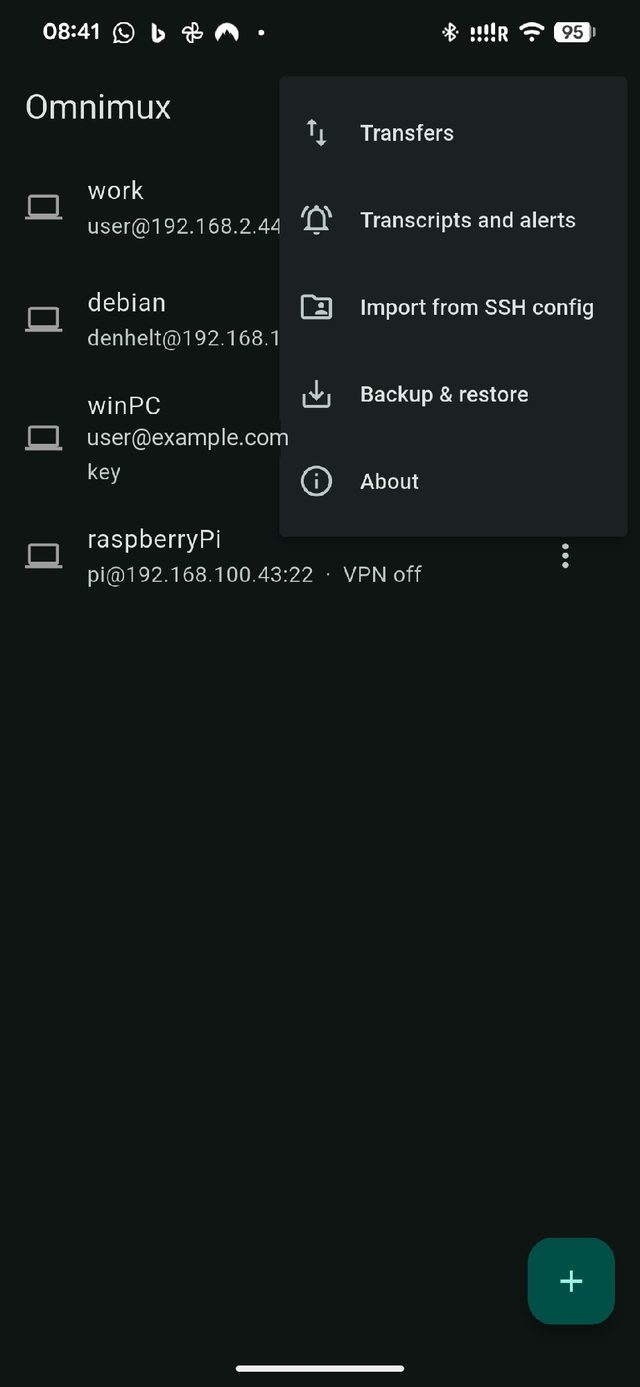
The lock, and the rest of the menu.
Smaller things you would miss if they were not.
Refined developer conveniences built right into the daily workflow.
Tell me when…
Watch a session for a word — "failed", "Deploy finished" — and get a notification when it appears, on one machine or all of them.
A record of a session
Keep a readable log of what happened in a window, capped by size and age. Preserves full ANSI line breaks and formatted turns.
Windows, properly
PowerShell sessions via psmux that survive a dropped connection, with no Linux subsystem needed — and a small helper that brings notifications with it.
Through a reboot
Ask a machine to bring its sessions back after it restarts, and what you were doing is waiting for you — including what was on the screen.
Copy and paste that works
Copy in the machine's editor and it lands on your device's clipboard. Tap a link to open it, or a file path to go straight to it.
Snippets and shortcuts
Keep the commands you always type one tap away — including fast bypasses like agy --dangerously-skip-permissions and codex --yolo.
Hardware secrets vault
Store deployment tokens, database passwords, and API keys securely in the device's hardware enclave per machine. Inject credentials directly when managing services without writing cleartext to bash history.
Domains & reverse proxies
Inspect active domain routing, Nginx/Caddy vhosts, and reverse proxy configs running on your server with instant access to upstream port targets.
Unified multi-platform
Pixel-identical native clients across macOS, Linux, Windows, iOS, and Android. Your machine configs, WireGuard tunnels, and keys sync seamlessly via encrypted vault export.
Available soon
Omnimux is in final testing. Desktop apps will be free downloads from this page; the phone apps follow on the App Store and Google Play.
Want a note when it is out? Write to [email protected].
Tester Downloads
Welcome to Omnimux early testing. Choose your platform below to download the latest test build.
Found an issue or have feedback? Write to [email protected].
Pricing
Desktop
- macOS, Linux, Windows
- Everything included
- Source available
Phone and tablet
- iOS and Android
- Everything included
- Background notifications on Android
Push delivery (iPhone)
- Questions arrive with the app closed
- Run by us; your messages stay yours
- Optional — the rest works without it